

Page Workspace
Design page templates and shared shells with Studio's drag-and-drop builder, with locale-aware previews.
Overview
The Page Workspace is where you design the content of your app's pages — landing pages, legal pages, marketing sections — using a visual drag-and-drop builder. Page content is stored per app under pages/<app>/ and is fully localizable.
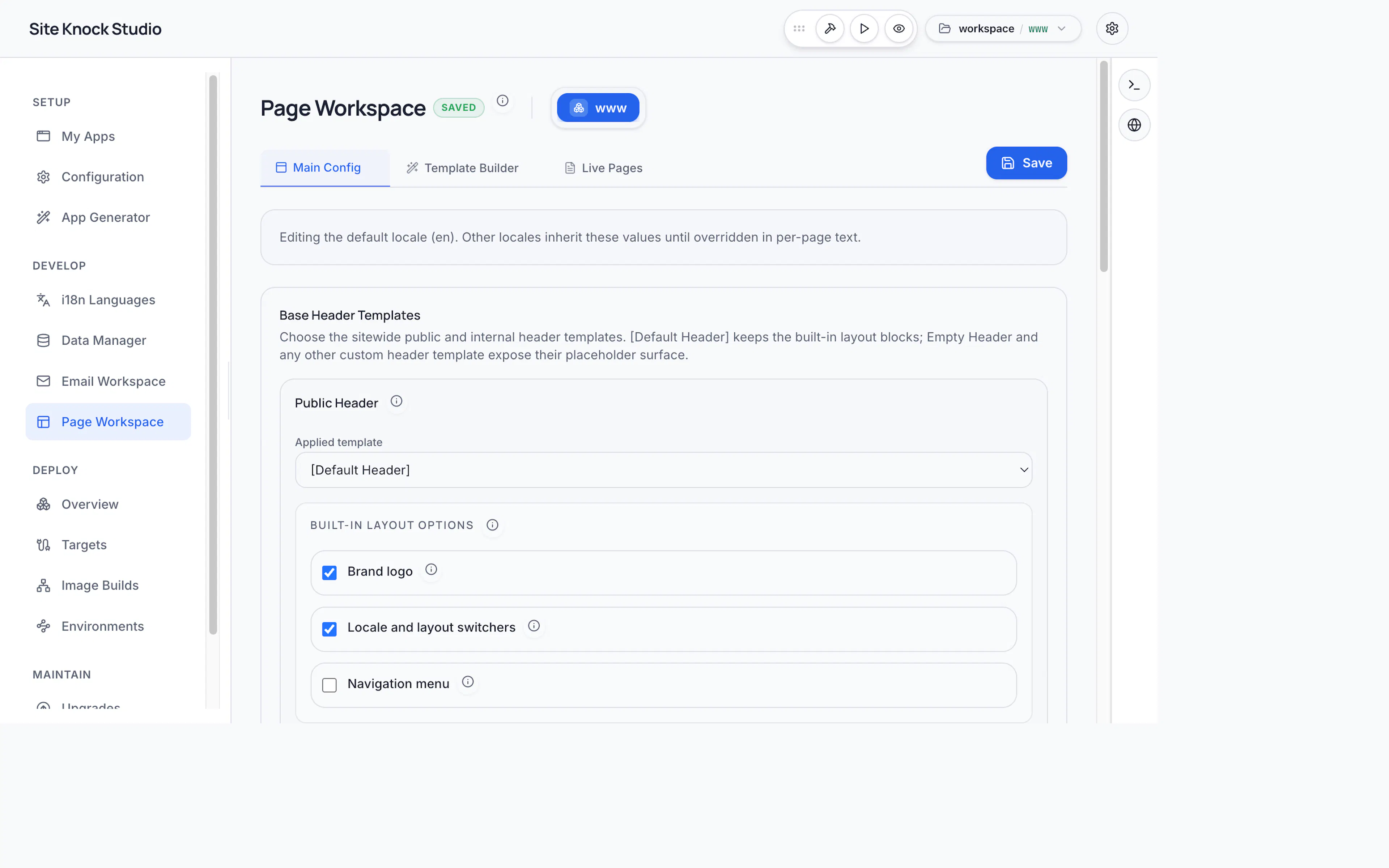
Designing pages
The builder lets you assemble pages from blocks — text, images, buttons, columns, and more — without writing HTML. As you edit, a live preview shows the result.
- Page definitions — manage which pages exist and their templates.
- Locale bundles — page copy is stored per locale, so each language can have tailored content.
- Preview — switch locales in the preview to verify every translation renders correctly.
Shared shells
Pages render inside shared shells — reusable header, footer, and body starters that give every page a consistent frame. Configure shells once and reuse them across pages.
Localization
Page content participates in the same i18n system as the rest of your app. Each page has locale bundles under locales/<app>/<locale>/pages/, editable both in the Page Workspace and the Languages editor.
Designing pages visually keeps your copy, layout, and translations in one place — and avoids hand-writing markup that you'd have to localize manually later.