

Studio Overview
Studio is SiteKnock's visual control panel. Configure apps, features, themes, pages, emails, and deploys without writing code.
What Studio is
Studio is the visual management interface for your SiteKnock projects. Anything that can be configured — apps, feature toggles, themes, translations, page and email templates, billing, and deployment — can be done in Studio instead of editing config files by hand.
As a rule of thumb: if a task is about configuration or design, do it in Studio. If it's about business logic, do it in code. Studio writes your config and regenerates the project for you.
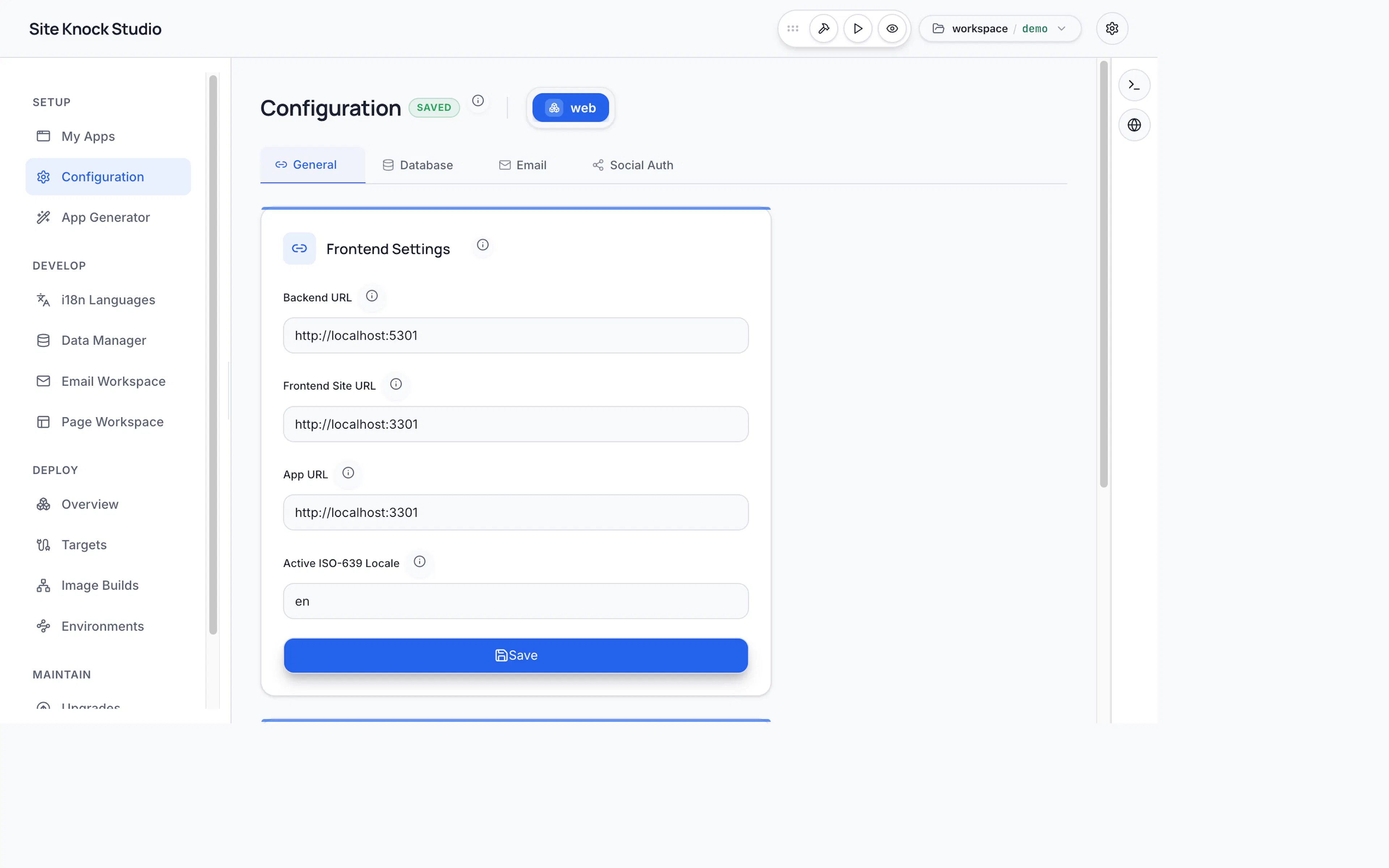
Starting Studio
sk-cli studio start
By default Studio runs as a Docker container with your workspace mounted. You can also run the desktop (Electron) app for native file pickers and remote workspaces.
sk-cli studio start --mode app      # Desktop (Electron)
sk-cli studio start --mode docker   # Container (default)
See Running Studio for all options.
What you can do in Studio
Manage projects
Create, rename, remove, and switch between projects; install dependencies; edit the project manifest.
Manage apps
Add frontend, backend, fullstack, or e2e apps and configure ports and hostnames.
Configure features
Toggle auth, billing, organizations, email, i18n, database, storage, cache, and rate limiting.
Design pages
Build page templates and shared shells with a drag-and-drop editor.
Design emails
Create transactional email templates and manage message copy.
Theme & brand
Switch themes and customize colors, fonts, logos, and assets.
Integrations & remote
Configure SSH connections, external tools, and remote workspaces.
Deploy
Build containers, run migrations, and health-check your services.
Studio vs. code
| Task | Studio | Code |
|---|---|---|
| Create / remove apps | ✓ | — |
| Change ports / hostnames | ✓ | — |
| Toggle features | ✓ | — |
| Configure auth providers | ✓ | — |
| Configure billing & plans | ✓ | — |
| Add locales | ✓ | pnpm sk:scaffold locale |
| Edit translations | ✓ (key-value editor) | Manual JSON |
| Design email / page templates | ✓ (drag & drop) | — |
| Scaffold features / pages / routes | — | pnpm sk:scaffold |
| Write business logic | — | ✓ |
| Add database models | — | .prisma.part files |
| Deploy | ✓ | — |
Modes
| Mode | Description |
|---|---|
| Docker | Studio runs as a container with your workspace mounted at /workspace. |
| App (Electron) | Desktop app with native file pickers, workspace management, and remote workspaces. |