

What is SiteKnock?
SiteKnock is a container-first SaaS starter kit. Scaffold a production-ready monorepo, configure every module visually in Studio, and ship to containers — without rebuilding auth, billing, email, and i18n from scratch.
Overview
SiteKnock is a container-first SaaS starter kit that gives you a complete, production-shaped application on day one. Instead of wiring up authentication, billing, multi-tenancy, email, and internationalization yourself, you scaffold a fully working monorepo and spend your time building the product that makes you money.
Every SiteKnock project is a pnpm + Turborepo monorepo with a Next.js 16 frontend, an Express 5 backend, a Prisma 7 database layer, Better Auth, Stripe billing, multi-provider email, and full i18n — all driven by a single config file and a visual control panel called Studio.
Quickstart
Go from a license key to a running app in a few minutes.
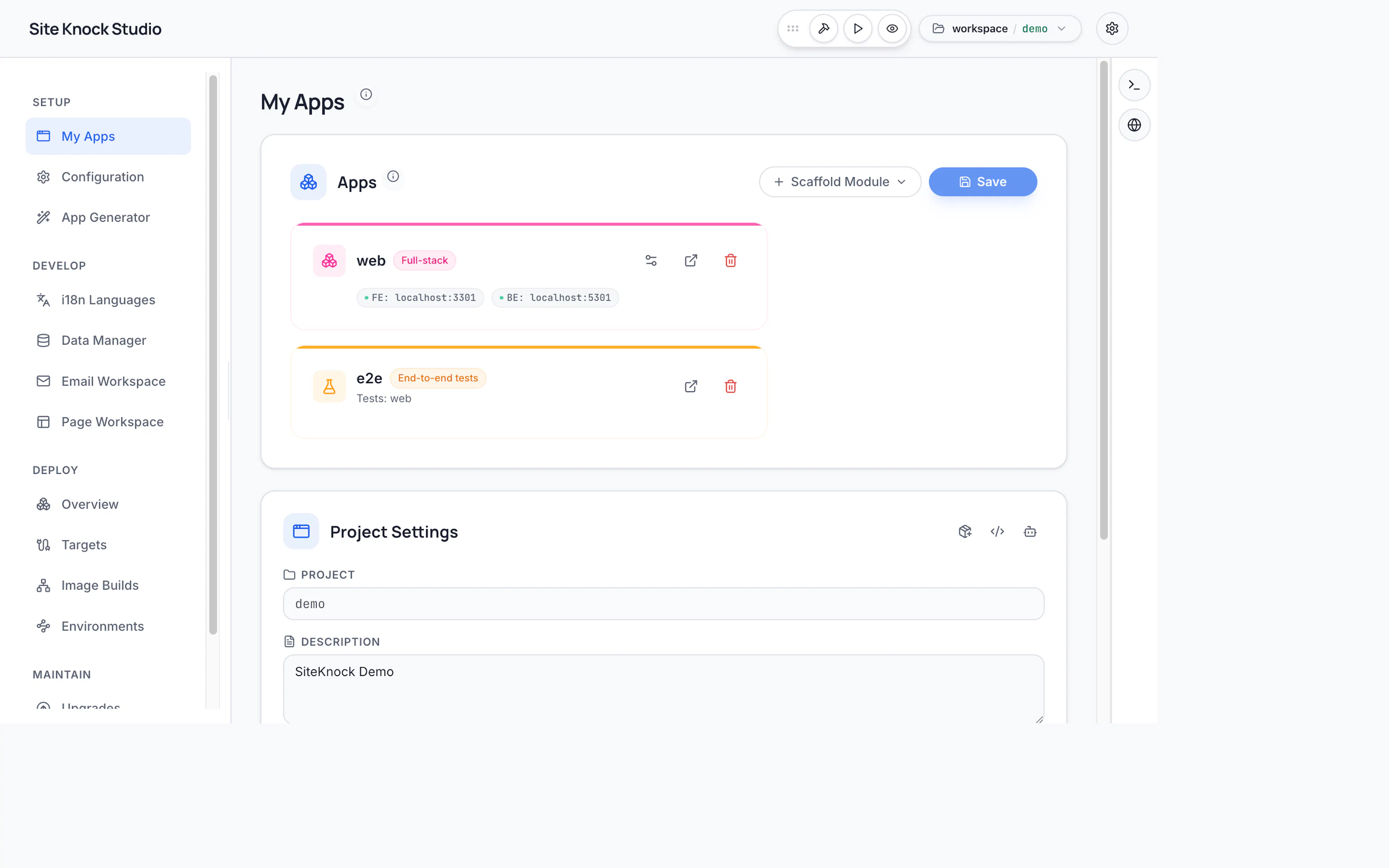
Studio
Configure apps, modules, themes, pages, and deploys — visually, no code required.
Modules
Auth, organizations, billing, email, i18n, storage, and more — built in and ready to toggle.
How it works
Scaffold a project
Use the sk-cli or Studio to download your licensed bundle and scaffold a complete monorepo. One command gives you a frontend, a backend, a database layer, and every shared package wired together.
Configure in Studio
Open Studio — the visual management interface — to add apps, toggle modules (auth, billing, organizations, email, i18n), choose your database provider, design pages and emails, and customize branding. Studio writes your config and regenerates the project for you.
Build your product
Write your business logic on top of a clean, typed foundation. Scaffold new pages, routes, and features with one command, and reuse dozens of shared UI components, hooks, and helpers.
Deploy to containers
Ship your frontend and backend as independent containers. Studio handles image builds, database migrations, and health checks as part of the release flow.
What's included
- Authentication — Email/password, magic links, password reset, MFA, and social sign-in via Better Auth. Optionally connect an external auth provider like Supabase, Convex, or Firebase.
- Organizations & RBAC — Multi-tenant organizations, roles, permissions, and invitations out of the box.
- Billing — Stripe checkout, customer portal, subscriptions, and webhooks, plus orders and invoices.
- Database — Prisma 7 with PostgreSQL, MySQL, SQLite, SQL Server, or Cloudflare D1.
- Email — Transactional email via SMTP, Resend, Mailgun, or SES, with a visual template builder.
- Internationalization — Locale-prefixed routing, per-app translations, and language switchers powered by
next-intl. - Storage — File uploads backed by the local filesystem or any S3-compatible provider.
- Caching & rate limiting — Pluggable cache and rate-limit backends (memory or Redis).
- A complete UI kit — Foundation primitives, marketing pages, dashboards, admin panels, forms, and data tables.
Why container-first?
SiteKnock is designed to run as containers from the very first day, not as an afterthought. Your project ships with Docker configuration, a shared local dev services stack, and a Studio-driven deploy flow that builds images, runs migrations, and health-checks your services. Local development mirrors production, so there are no surprises when you ship.